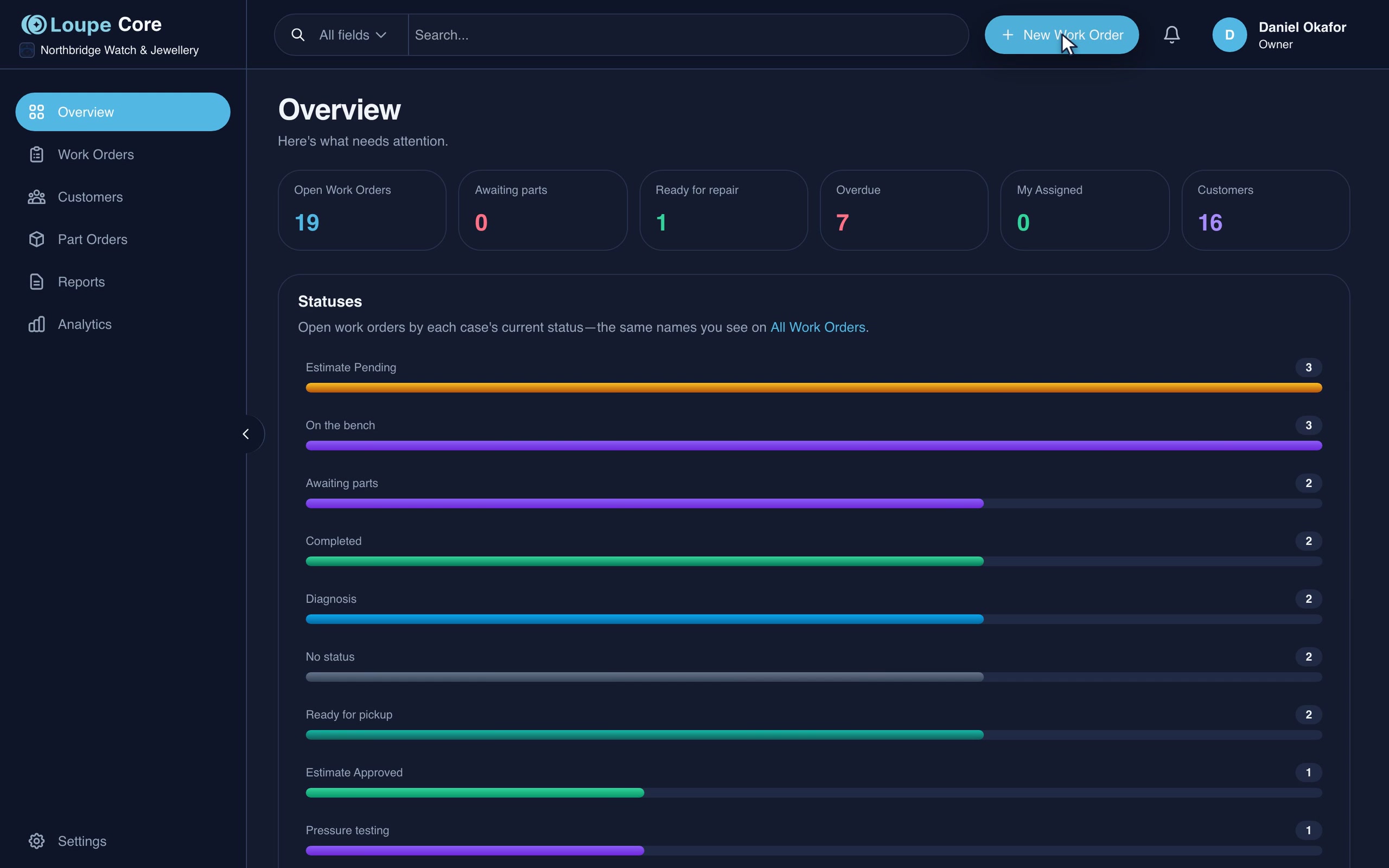
Keep every quote consistent
Your labour rates, movement services, parts, and brand contracts shape the estimate, whoever prepares it. AI turns the bench diagnosis into a note the customer can follow, and you review it before it goes out.
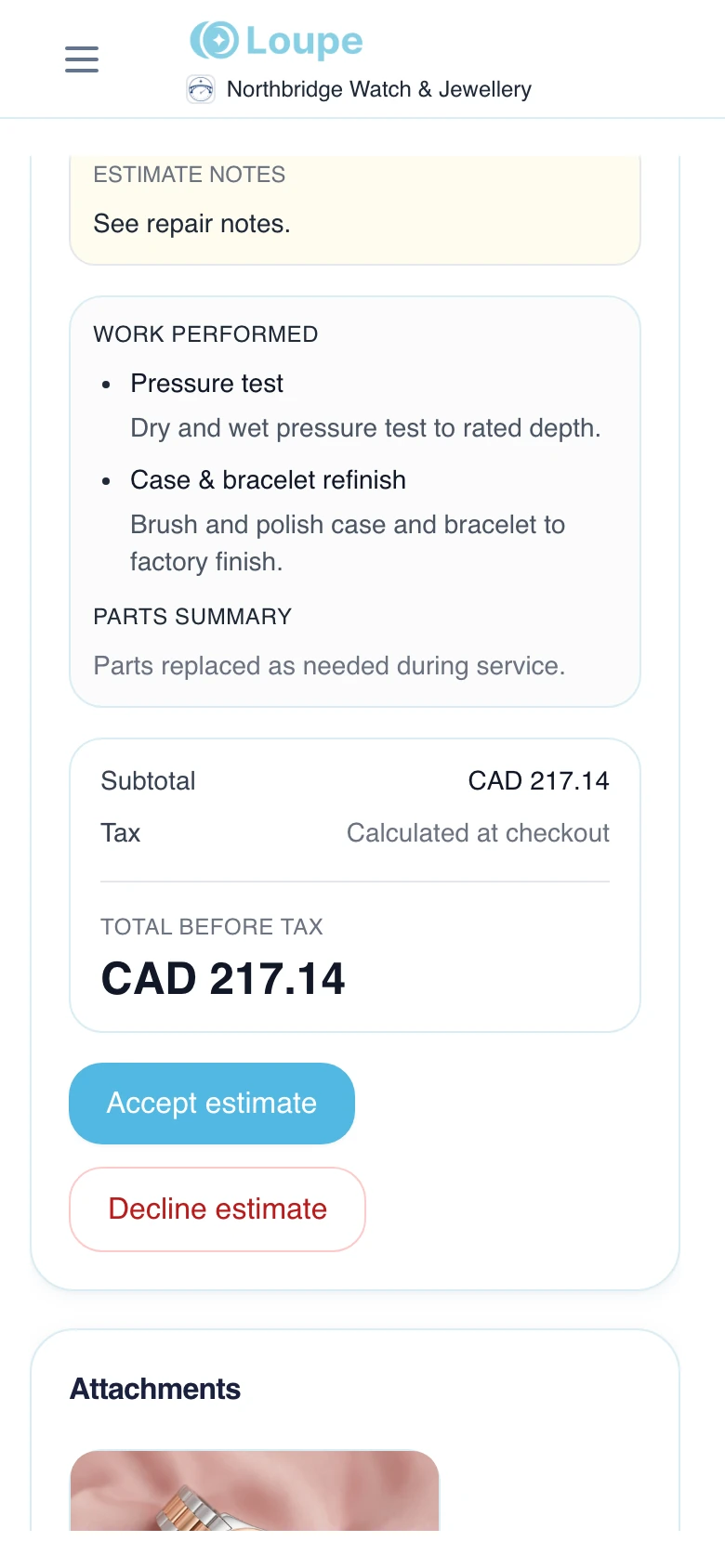
Built for watch service centres
Run watch and jewelry repairs from intake to payment. Keep your shop’s pricing, parts, promise dates, and customer updates in one place.
See your workflow in Loupe. Discuss pricing and setup on your demo.
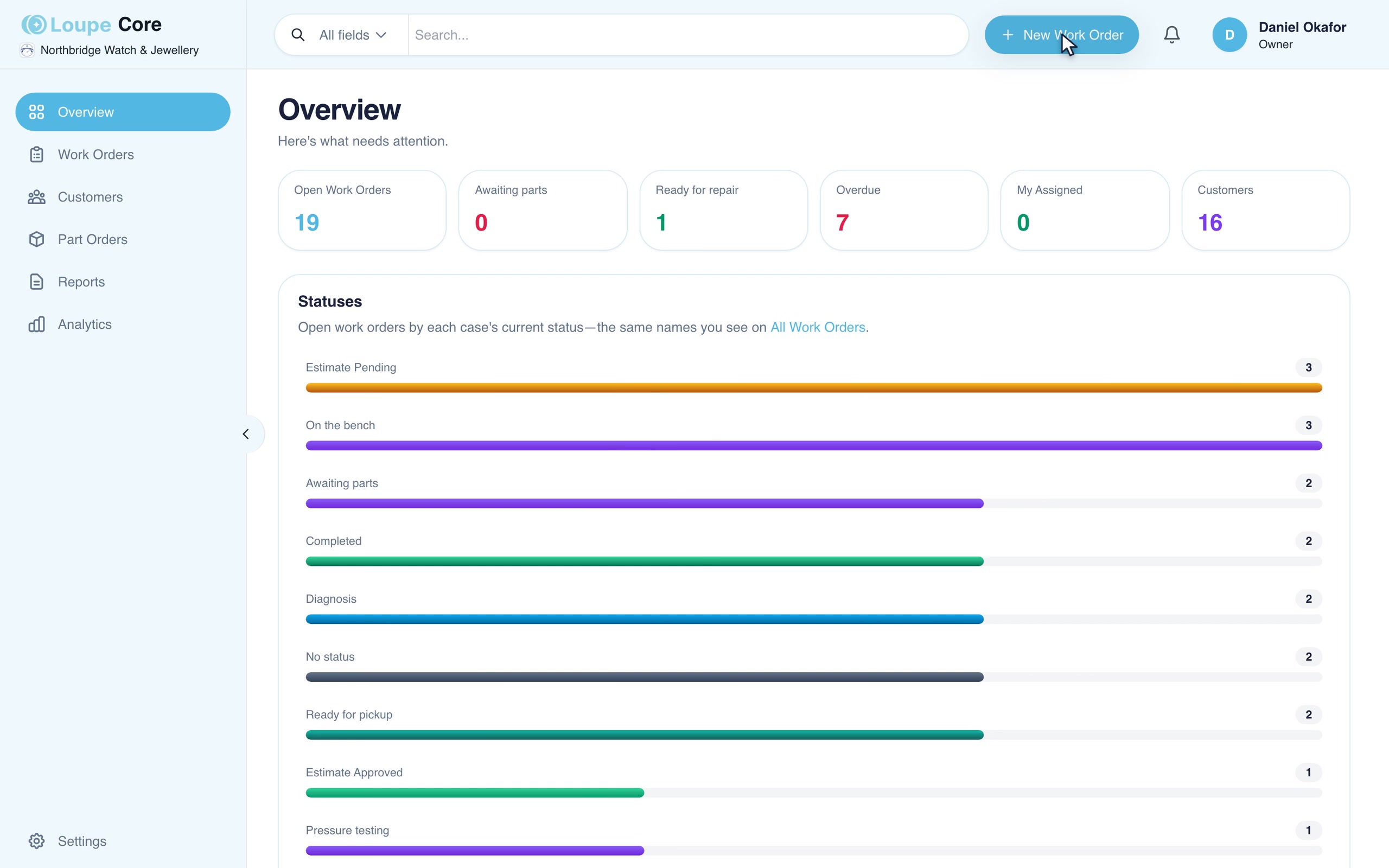
Recorded in Loupe with example repairs.

From the service centre
Loupe grew out of the work of running a service centre. Ryan Goncalves brings more than three decades in watch service and the perspective of Time Central to the product.
Time Central is owned by Ryan Goncalves, who is also a Loupe co-founder.
Read the Time Central storyWhat Loupe changed at Time Central
Before: Time Central’s first three months on Loupe (March to early June 2026). After: the months since owner analytics, customer texts, and AI estimate notes went live. Ryan credits the gains to tracking every repair in one place and using analytics to see where repairs get stuck. “Typical” is the median. Intake time is from Time Central’s own timing.
Built around your bench
One repair record connects your team, customers, and retail partners, with the detail watch and jewelry work needs.
Your labour rates, movement services, parts, and brand contracts shape the estimate, whoever prepares it. AI turns the bench diagnosis into a note the customer can follow, and you review it before it goes out.
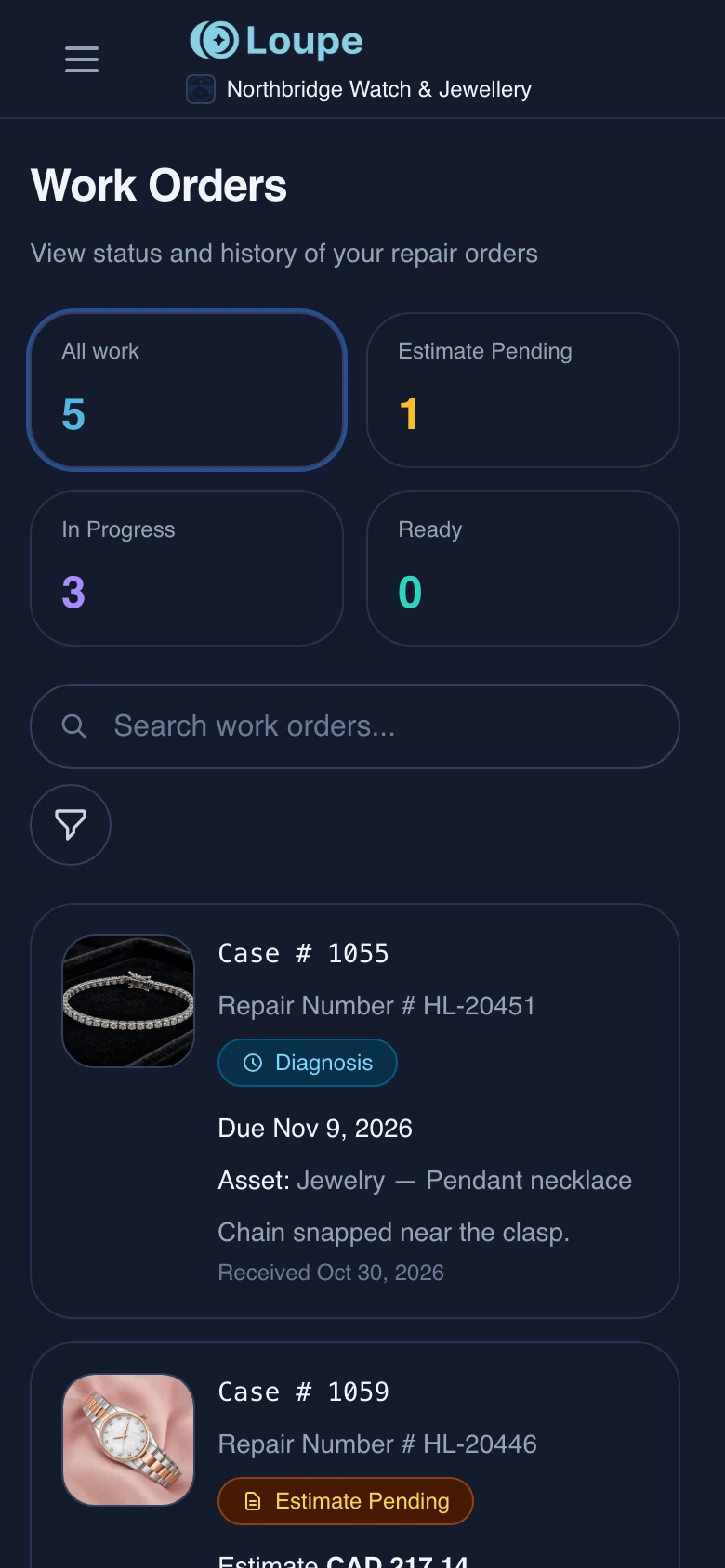
Customers get a private repair link, with a text and an email when the job moves. Retailers get a branded portal. Both can check progress without calling.
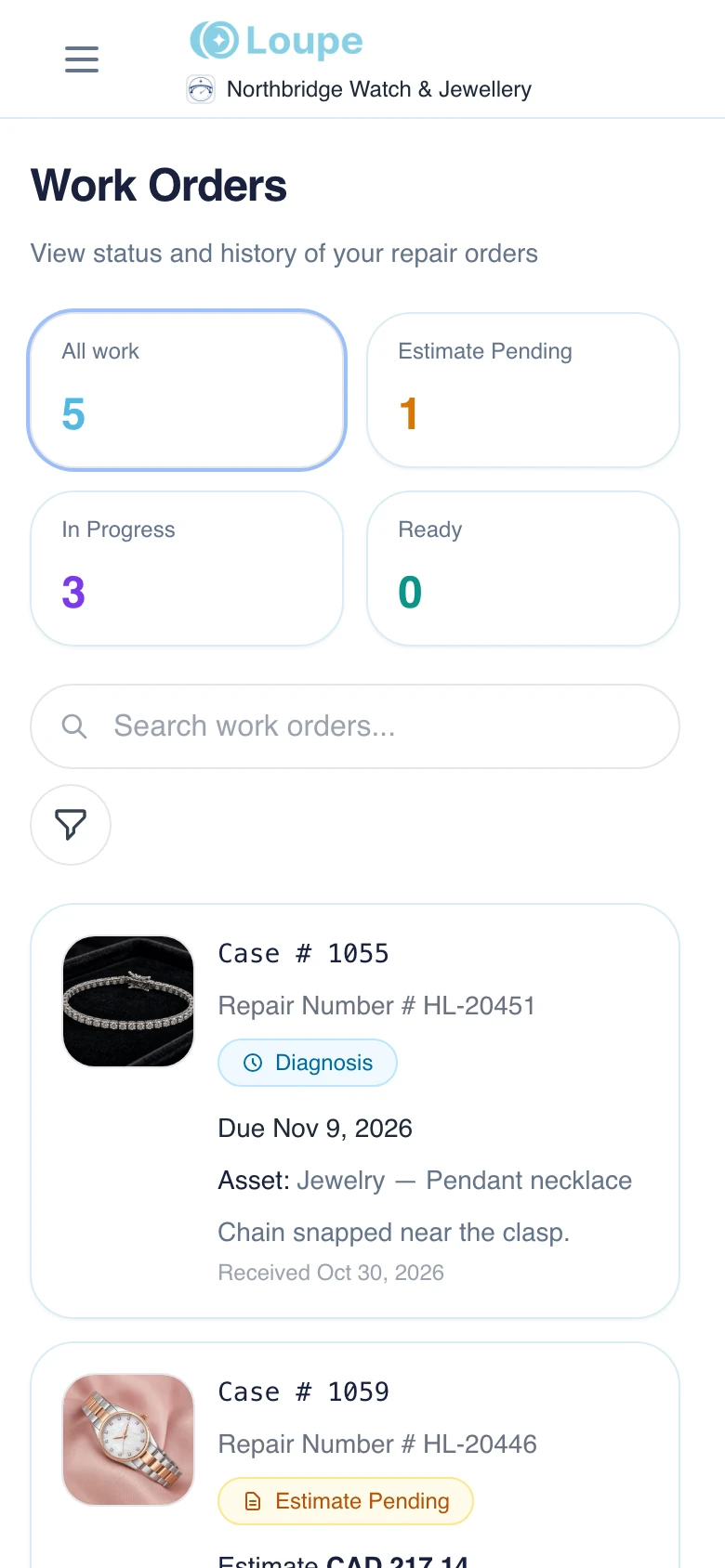
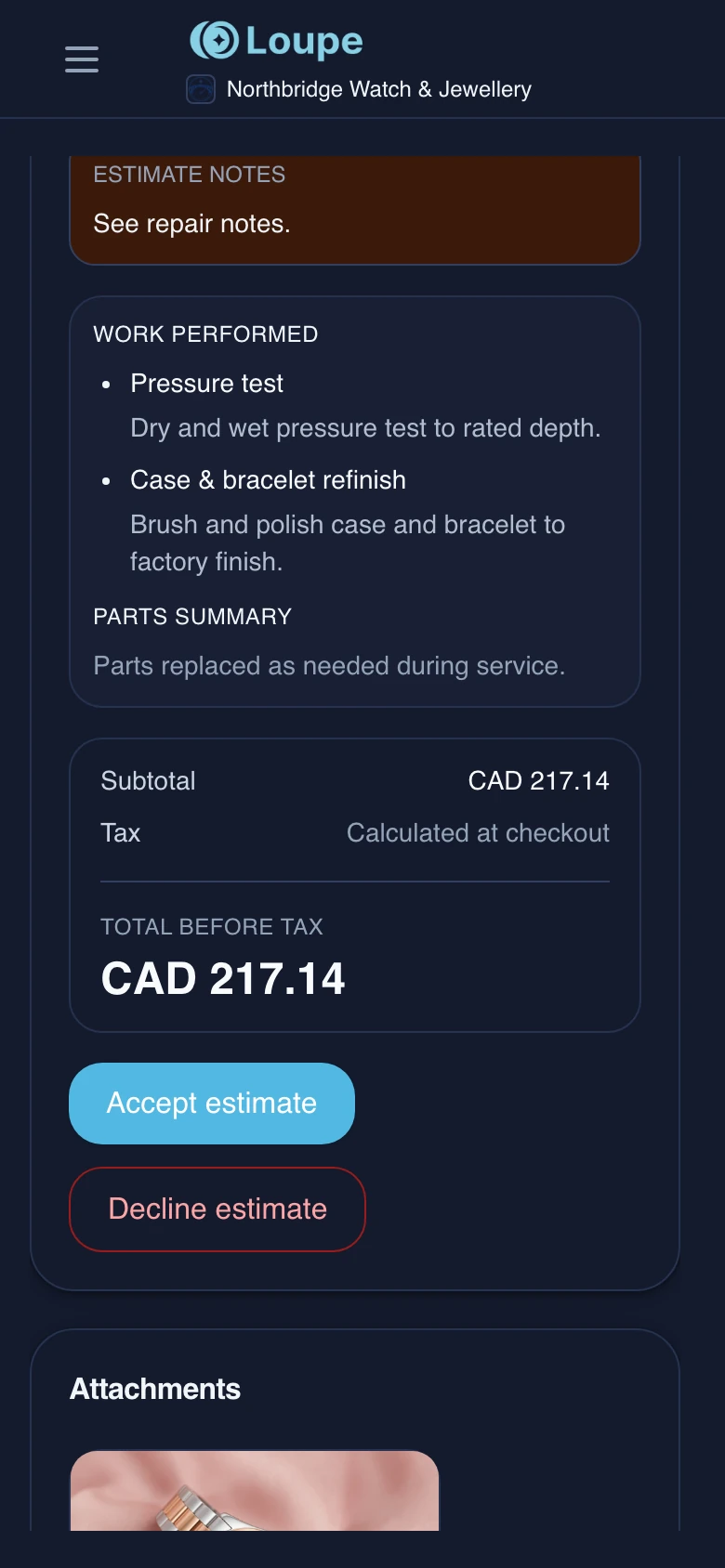
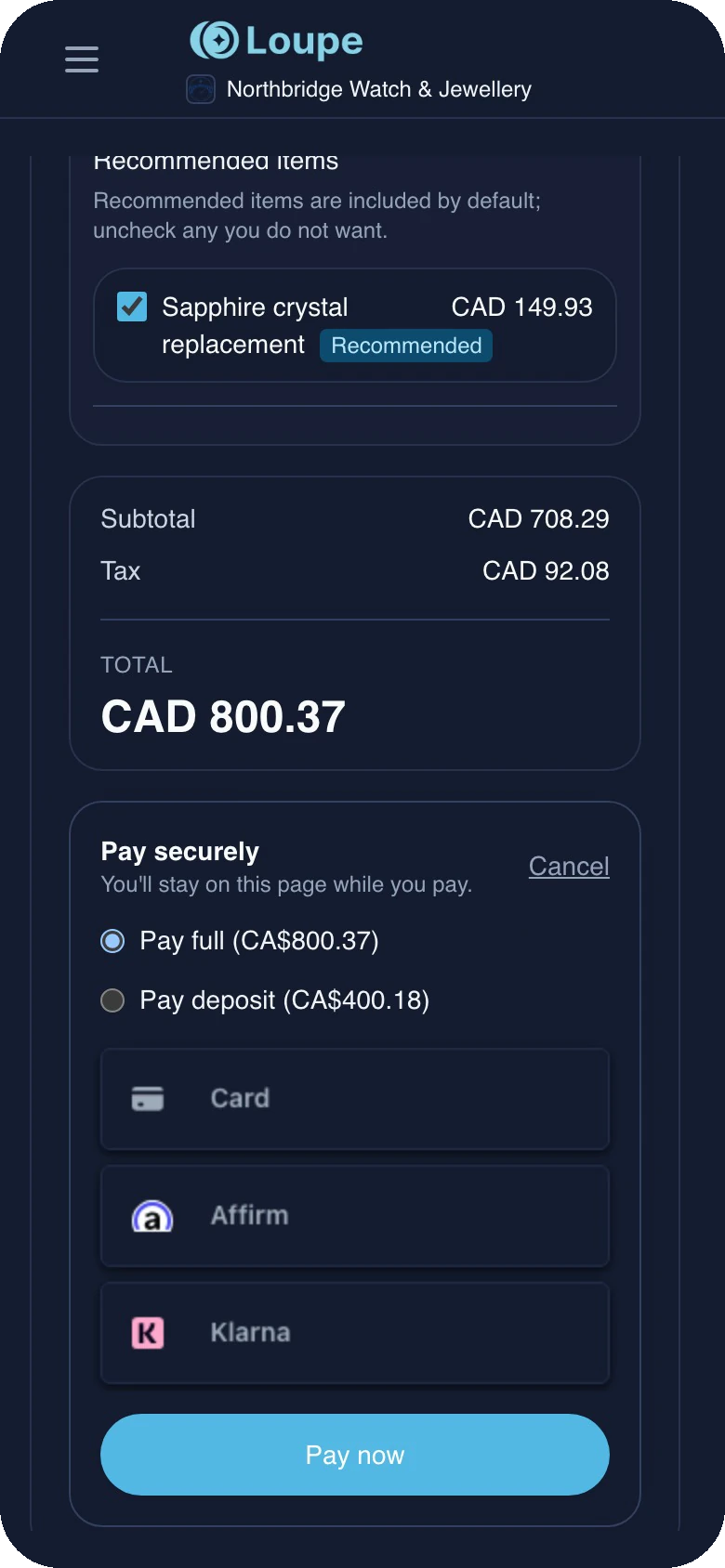
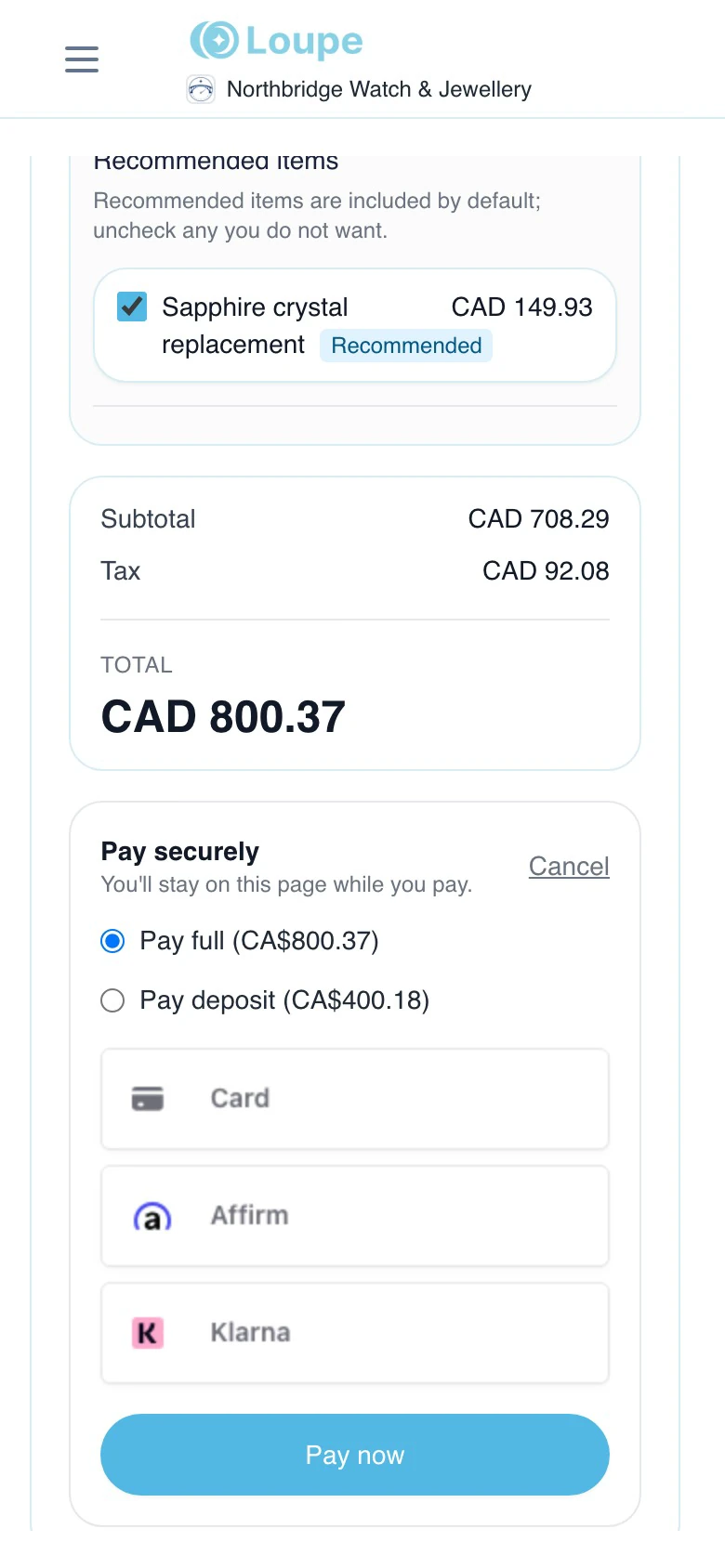
The estimate arrives by text and email. Customers review the work, choose optional services, and pay a deposit or in full from their phone.
At Time Central, walk-in and mail-in customers now decide on an estimate in a median of 4 days, down from 9.
What the watchmaker entered
Amplitude: 185°
Beat error: 2.8 ms
Low power reserve
Dry lubrication detected
Example customer explanation
Your watch is losing power and running inconsistently. The lubricants inside have dried out. We recommend a complete movement service to clean, inspect, and lubricate the parts, then adjust the timekeeping.
Type or dictate your findings. Loupe drafts the estimate notes, and your team reviews them before sending. Ask to see it with a repair like yours on a demo.
Photograph the dial, the caseback, and the customer’s note. AI drafts the piece, the issue, and suggested repair types for you to check, in about a quarter of the time it takes to type it all in.
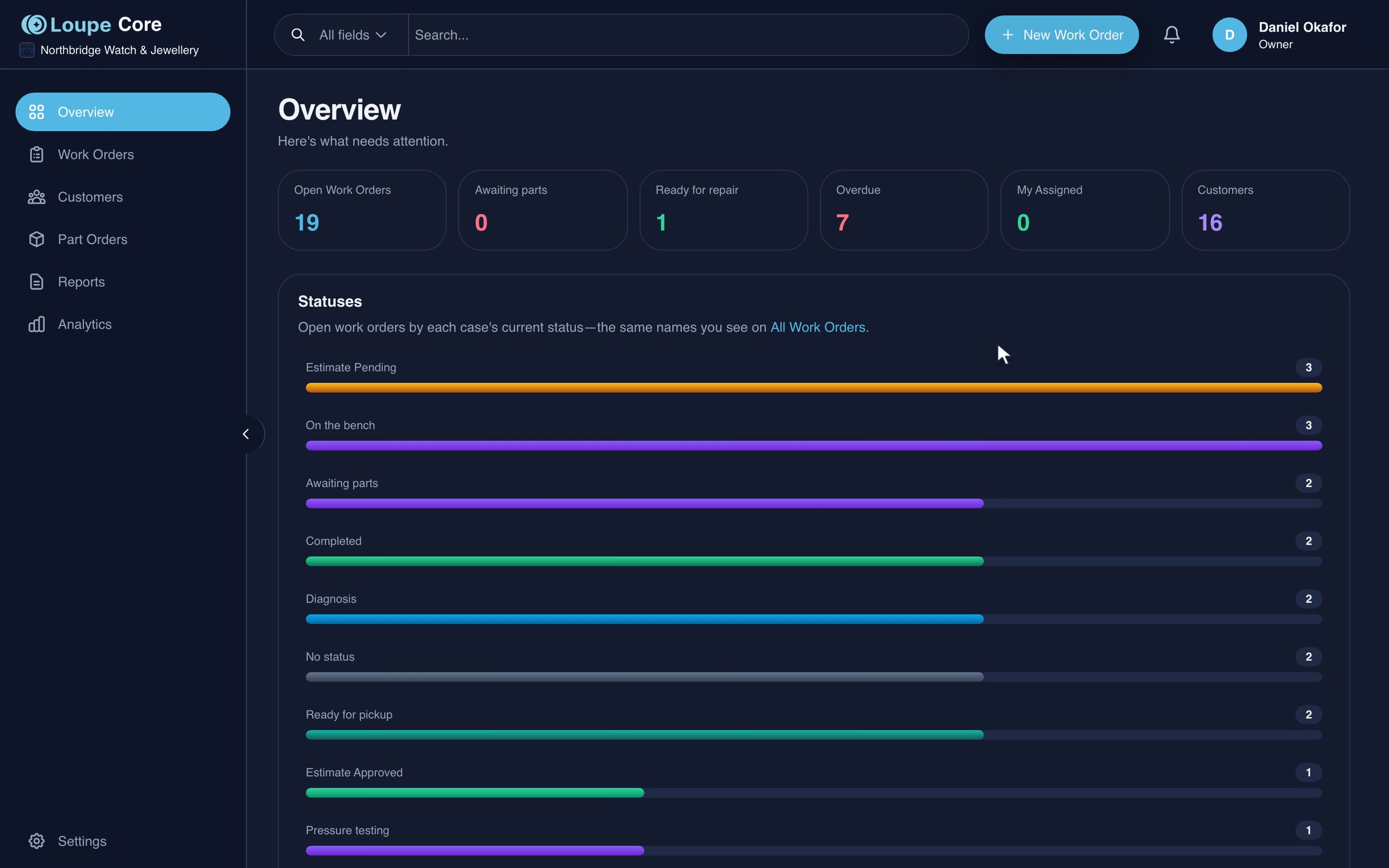
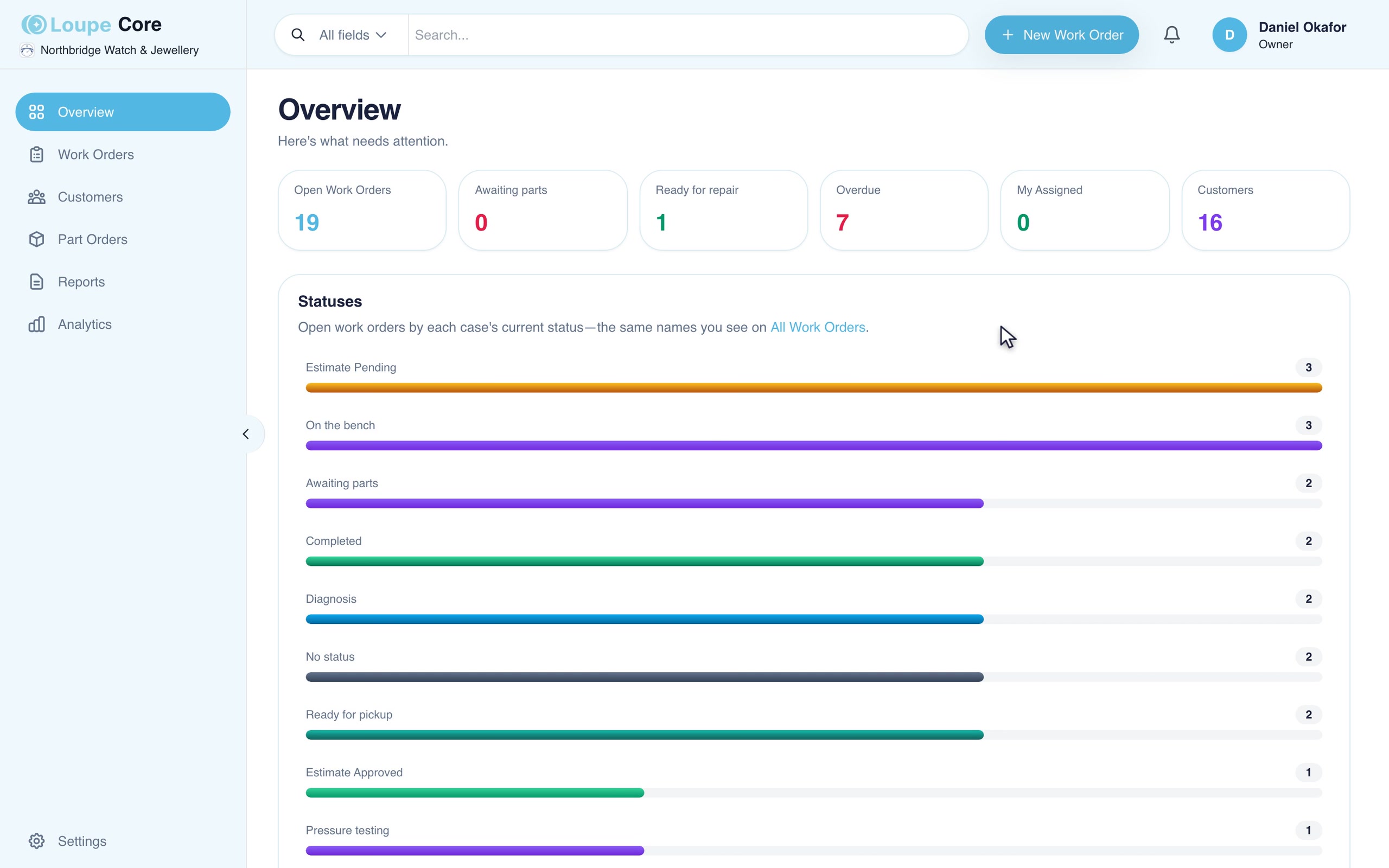
See who owns each repair and which jobs need attention before a customer calls.
Owner analytics show how long repairs sit in each status, how old the open work is, and each person’s workload, next to revenue and estimate approvals.
Search supplier catalogs from the estimate, attach the part to the repair, and batch what open jobs need into one supplier order.
Look up a discontinued calibre and see which current movements can replace it, with any caveats, while you quote.
Print a job sheet, then scan repairs to update status, location, or promise date.
Issue signed appraisal and authentication certificates under your service centre’s name.
Publish reports to your retail partners’ portal for account reviews.
Your team works in the language they prefer, on the same repairs.
Product tour
Two minutes inside Loupe — from three photos at intake to a customer approving the estimate and paying from their phone.
Who it’s for
Getting started
Your demo covers the setup, records, and training your team needs. Agree on the scope before you make the move.
Walk through how you receive repairs, price work, and update customers. Review your customer lists and existing records so the setup and migration requirements are clear.
Configure your pricing, repair types, statuses, and branding. Add your team, customers, and retail partners, and connect Stripe if you want online payments.
Work through intake, the repair list, and customer updates with your team. Start with the repairs you run every day, then introduce partner access around your shop’s needs.
Keep your existing POS for retail sales. Loupe manages the repair, from intake through approval, payment, and pickup.
Pricing and setup
Book a demo to see how Loupe fits your shop and discuss pricing with our team. Bring your questions and a repair that reflects how you work.
Two plans for the two sides of a repair: the service centre at the bench, and the store at the counter.
For service centres and repair shops
The full system for the shop doing the work. It includes Direct’s customer side: your own customer list, texts and emails in your name, online payment, and sending repairs out with your markup.
Available now. Need more manager logins? Loupe Team is the same system with more seats.
For retail stores that send repairs out
For the store that takes the repair in and keeps the customer.
Open to a limited group of retailers. Ask about it on a demo.
Stores a Core service centre invites get the retailer portal, under the service centre’s name. They follow each repair, see the timeline and bench photos you share, approve estimates, pay, and leave you notes. A store that works with several service centres on Loupe sees them all in one login.
Core and Direct can both send a repair to a watchmaker who is not on Loupe. They get an email and a free login to update bench status, add a diagnosis, and send their quote. They never see the customer’s details, and every store that sends them work shows in the same list.
FAQ
Watch and jewelry fit, pricing, and how to get your team started.
Something else? Email us
Both. Loupe is built around watch service, with movements, brand contracts, parts, and promise dates. Jewelry repairs have their own piece types, metal and sizing fields, photos, and ring sizing quotes. A mixed shop can run both in the same system.
Book a demo to walk through your repairs and discuss pricing with us. We review your team access, existing records, and setup requirements so you can understand the plan and onboarding before deciding on next steps.
Yes. Configure your labour rates, movement services, parts, brand contracts, and retailer terms. Customer repair links, retailer pages, and status emails use your shop’s branding. Your team reviews estimate notes before sending them.
Keep your POS for retail sales and your accounting tools for the books. Loupe manages the repair record, bench work, quotes, parts, customer updates, and payment against the repair. On your demo, we review how those fit alongside the tools you already use.
Start by reviewing your customer lists, current repairs, and pricing with us. Customers can be added or imported; we discuss which other records you need to bring over and agree on the scope. Setup covers your team, pricing, statuses, branding, and a walkthrough of intake and daily repair work. Timing depends on your shop’s requirements.
We walk through a repair like yours: intake, estimates, the repair list, customer or retailer updates, and payment. Bring your questions and an example of how you work today. You can discuss the right plan, setup, and migration requirements before deciding on next steps.
See Loupe in your shop
Walk through a repair like yours, see how your team would use Loupe, and discuss pricing and setup for your service centre.
Book a demoYour repairs. Your questions. A clear next step.